Consultancies & agencies
Staff client projects, see the bench, and avoid double-booking people across engagements.
Zeitplan.io is day-based resource planning for project teams. Assign people to projects for days, weeks or months, spot free capacity at a glance, and keep the whole team on one plan without leaving Teams.
If your question is "who can take on the next project in March?", Zeitplan.io answers it in seconds.
Staff client projects, see the bench, and avoid double-booking people across engagements.
Allocate people to projects, support rotations and releases, with their Planner tasks shown alongside.
Replace the shared Excel sheet with one plan everyone can see in Teams, with permissions and notifications built in.
Zeitplan.io keeps to the big picture on purpose: whole days, clear colors, no timesheets.
Add general information to your projects and specific notes for assigned team members.
Public holidays for your region are shown in every row, so availability is never a guess.
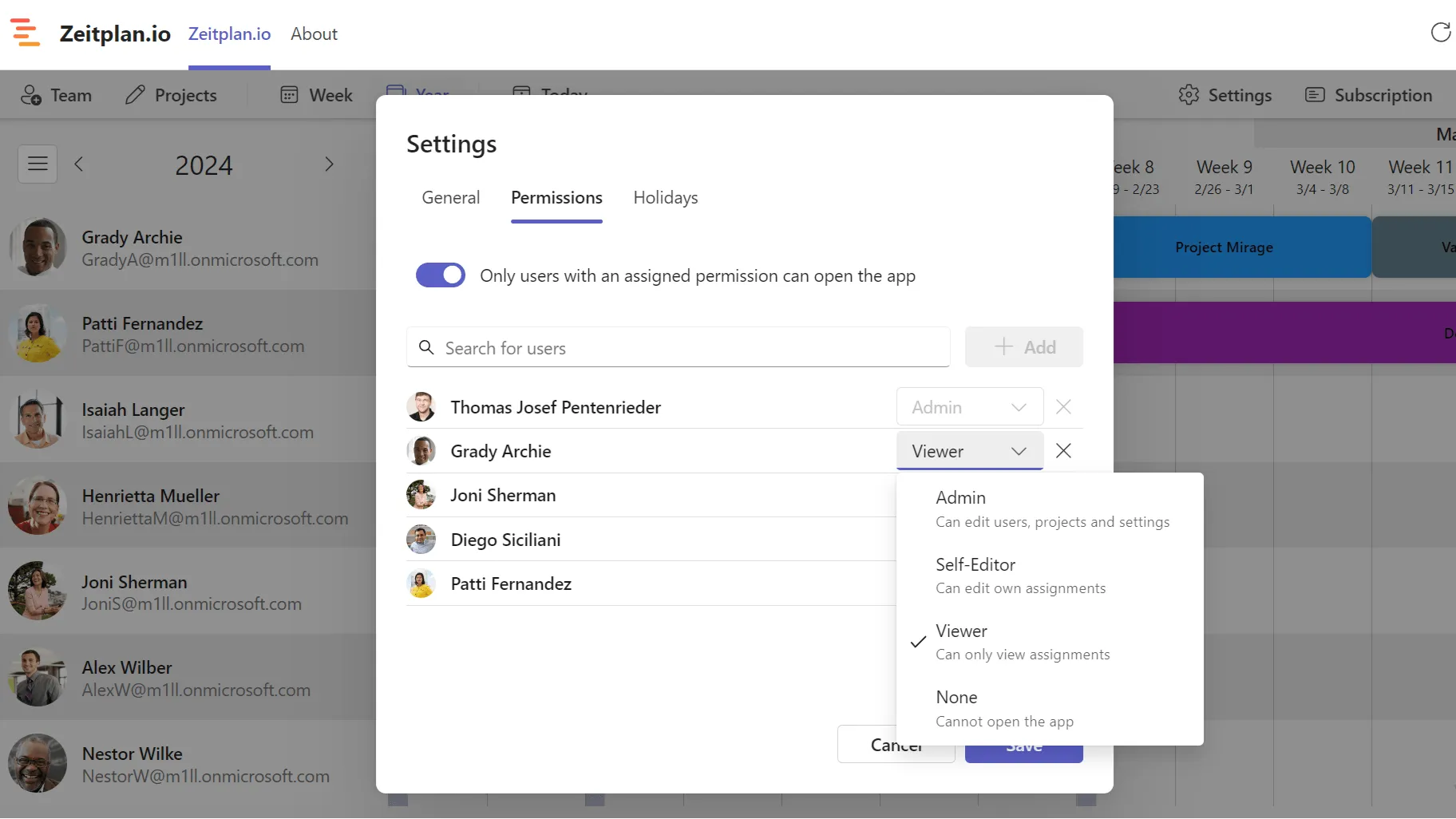
Decide who can view and who can edit. Let people manage their own assignments, or open read access to guests.
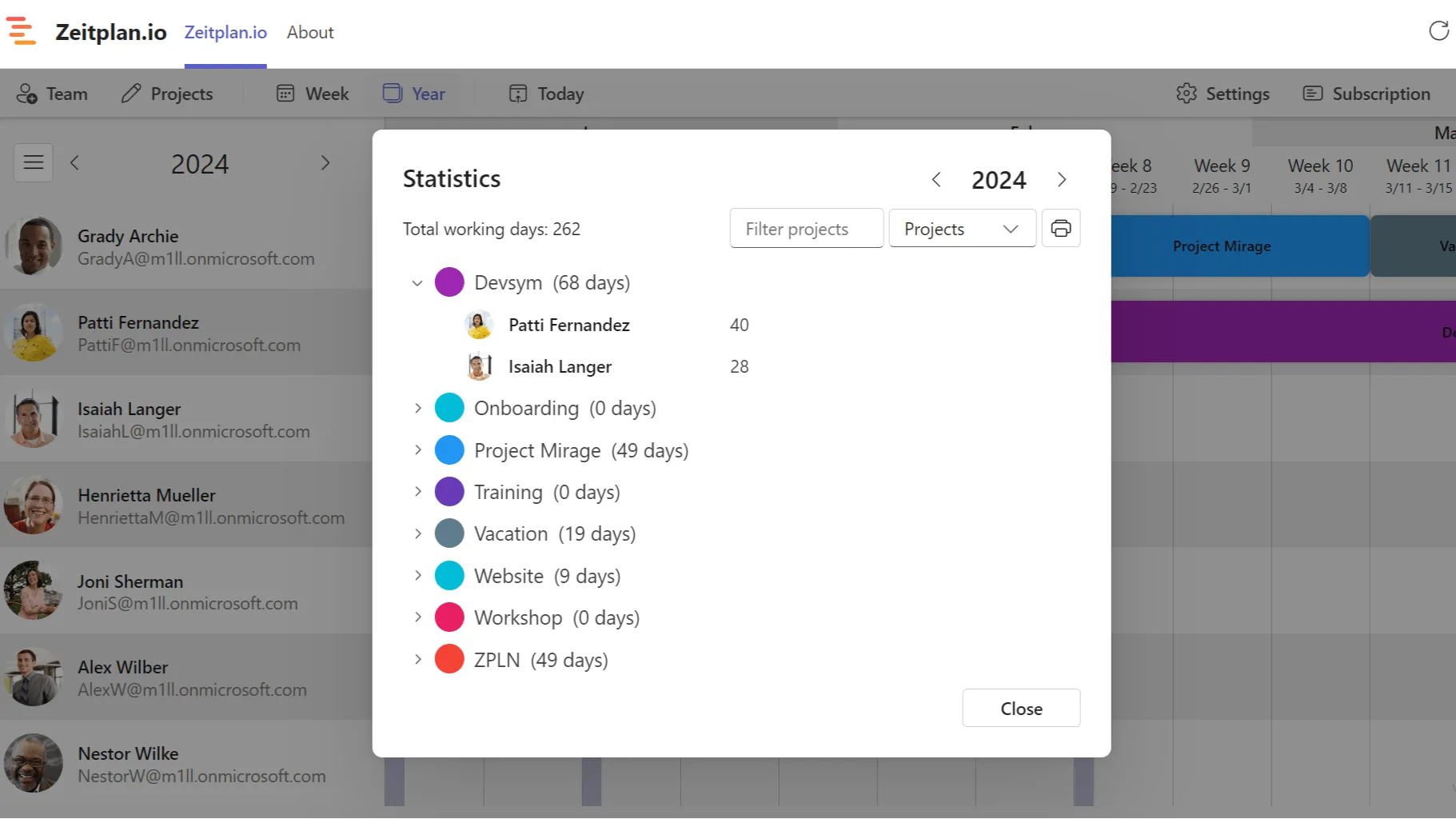
See the working days assigned per project and per team member for any year.
Drag across days to assign someone to a project. Week, month and year views show capacity for the whole team.
Show each person’s Planner tasks next to their assignments to see what else is on their plate.
Subscribe to a team member’s assignments in Outlook, Google Calendar or Apple Calendar.
People are notified in the Teams activity feed when their assignments are created, changed or removed.
Plan repeating duties in one go and mark preliminary bookings as blockers until they are confirmed.
Export any week, month or year to Excel, or save the schedule as an image for a status report.
Read assignments, projects and users from your reporting tools with a read-only API key.
Most teams come to Zeitplan.io from a spreadsheet or from a tool that was built for something else.
One file, one editor at a time, no history, no permissions, and nobody is told when their plan changes.
One plan in Teams that everyone sees, with roles, drag-and-drop editing and notifications. Still exports to Excel when you need it.
Full comparison →Planner tracks tasks and due dates. It doesn’t show who is busy next month or who has room for a new project.
Zeitplan.io adds the capacity view and shows Planner tasks right next to the assignments.
Full comparison →Shifts schedules hourly shifts for frontline teams.
Zeitplan.io plans whole days and weeks for project teams. If you need hours, have a look at our sister app Schedules.
Full comparison →Full resource-management suites are powerful, but they cost several times more per user, live outside Teams and expect hourly bookings.
Zeitplan.io is installed from the Teams app store in a minute, costs $2–3 per user, and uses the accounts you already have.
Full comparison →With the free plan you can add up to 5 users to your schedule.
Beyond that you'll need one license per user – so e.g. for 10 users, 10 licenses.
License quantities can be upgraded at any time inside the app.
$0
no payment details needed
$3
per user, per month
$2
per user, per month
* All prices are in USD excluding VAT. Click "Choose plan" to see the total price with your local tax.
Yes, for up to 5 users, with no time limit and no payment details. Larger teams pay $3 per user per month, or $2 per user per month with yearly billing. Every user in your schedule needs a license; archived users don’t count.
Zeitplan.io distinguishes between two schedule types, Global and Channel.
The Global schedule is the same for all users in your organization. The admin can limit who is able to access the schedule e.g. to prevent guests from seeing projects & assignments.
Channel schedules are only available to users in the channel they are created in.
Global schedules are useful e.g. for smaller companies where everyone can see everyone else's assignments. Channel schedules are useful to plan assignments for a select group of people.
Every user you add to your instance of Zeitplan is counted as a license. A user added to multiple instances (i.e. multiple channels and the global instance) is counted only as a single license.
Zeitplan.io runs inside Microsoft Teams and signs you in with your Microsoft 365 account. It can show Microsoft Planner tasks next to the assignments, sends Teams activity notifications when assignments change, and offers a calendar feed per team member that you can subscribe to in Outlook or any other calendar app. A read-only REST API connects reporting tools such as Power BI.
No. Zeitplan.io is optimized to give you a quick overview of available capacity within your team over the next weeks and months, so assignments are whole days. For hour-based scheduling have a look at our sister app Schedules, or at Shifts for Microsoft Teams.
We keep data collection to an absolute minimum. As we work with Microsoft Teams Single Sign-On we never need nor receive your password in the first place.
For users we only store their object ids. Names and email addresses are never stored in our database. They are always requested directly from Microsoft Graph on the frontend instead.
We only store the email address of the person creating the global or a channel schedule for disclosure reasons.
For organizations we only store their tenant ids to identify data (like projects, users and assignments) related to them.
All data is stored in the Microsoft Azure cloud within the EU region.
You can export the assignments of any week, month or year to Excel directly from the schedule, save the schedule as an image, or read everything through the REST API. If you need a full copy of all data, request it through info@devsym.de.
You can request deletion of all your data through info@devsym.de by providing your Tenant Id. Since we don't know if and when you remove the app from Teams we can't delete the data automatically.
Still have questions? Don't hesitate to contact us at info@devsym.de.
Install Zeitplan.io from the Teams app store, add your colleagues from the directory, and drag the first assignments into place. Free for up to 5 users.
The user guide explains every part of Zeitplan.io, from installing the app to permissions and statistics. Open the user guide